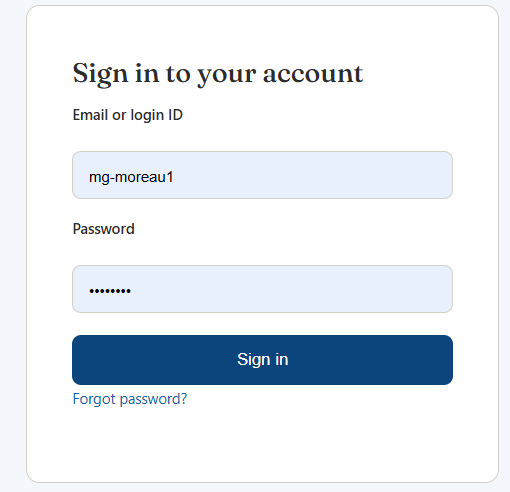
1. Sign in with an email or login ID
Depending on how the person responsible for training in your organisation created your account, you sign in either with your email address or with a login ID. The same form accepts both.
2. Learner dashboard overview
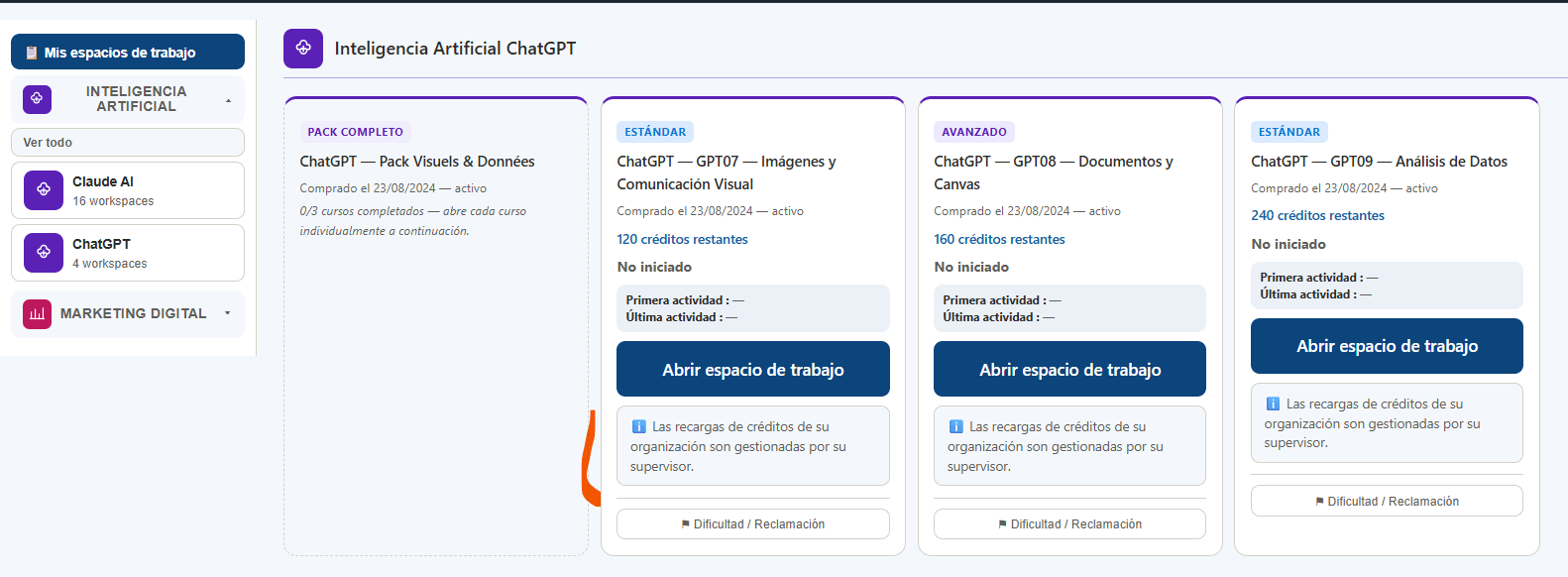
The learner dashboard follows the same logic as an individual account. The header shows your identity, Learner role and organisation. Refresh credits, lessons & quizzes, Support and Starting level remain available.
3. Left menu and automatic course display
As with an individual account, the left menu shows assigned domains and learning paths. Clicking a learning path automatically displays the corresponding Workspace(s) in the main area.
Navigation works the same way, but only for training assigned by your organisation.

4. Training cards, progress, activity and credits
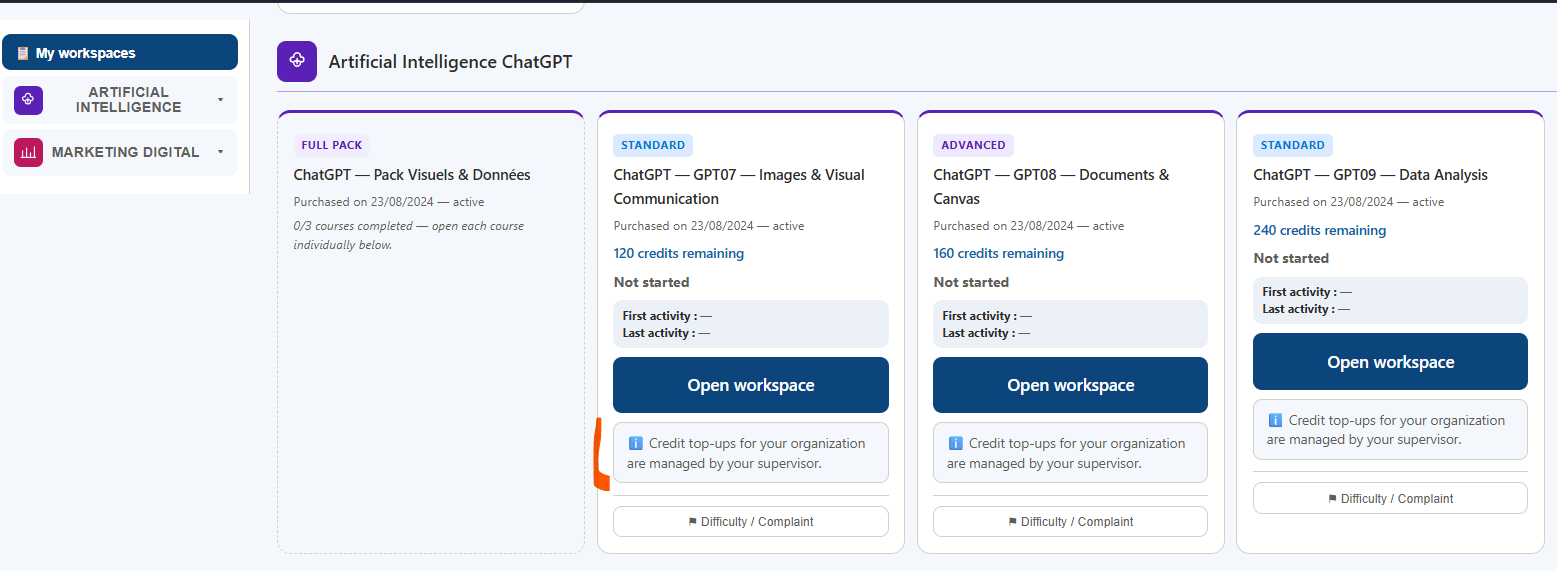
Training cards work like an individual account: title, level, remaining credits, status, progress percentage, completed lessons, quiz, first activity, last activity, Open/Resume, certificate, feedback and Difficulty / Complaint.
5. Starting level: same operation as an individual account
Starting level remains available. The questionnaire works by learning path, records objective, context, declared level, experience and prerequisites, then produces a score, result and recommendation. It never blocks training access.
6. Certificates, feedback, Support and Difficulty / Complaint
The learner has the same learning and tracking functions as an individual account: PDF certificates when requirements are met, end-of-course feedback, Support with ticket tracking, and Difficulty / Complaint linked to the relevant course.
7. What really differs from an individual account
- Sign-in may use an email address or login ID, depending on how the person responsible for training in the organisation created the account.
- No Purchase history button: purchases and invoices are managed by the person responsible for training in the organisation.
- No direct credit top-up: additional credits must be requested from the person responsible for training in the organisation.
- No direct catalogue purchase: a new Learning Workspace must be requested from the person responsible for training in the organisation.
- The person responsible for training in the organisation can track learner progress and starting-level assessments in Team tracking.